Free & open source macOS 14+ · Universal No network access

Your Mac isn't full. It's working.

Boost is a menu bar app that shows what your memory is actually doing, then gives back only what is genuinely idle. No fake numbers. No subscription. No network access.

Read the source

GPL-3.0 · Apple Silicon + Intel · free

What the readout means

Plenty of headroom
no swap, under 75%
Getting busy
any swap, or over 75%
Under pressure
over 1 GB swap, or over 90%
Fig. 01 · Menu bar popoverLive demo
Boost
Live
11.11GB
of 16.00 GB
Getting busy
Cached3.75 GB
Compressed4.38 GB
Swap820 MB

Using the most memory

  • Xcode3.41 GB
  • Safari1.24 GB
  • Figma1.08 GB
  • Terminal186 MB

No app closing. No admin password.

Open BoostSettings   Quit
Try Free MemoryReadings illustrative
0Network requests
0Accounts
0Subscriptions
7Days of history
1Universal binary
01The number

The number other cleaners sell you is usually cache.

macOS fills spare RAM with cache on purpose. It is the fastest thing your Mac can do with memory it isn't using, and it yields the moment an app asks for it. Counting it as “used” makes the problem look bigger than it is.

Physical memory 16.00 GB Live readout 11.11 GB in use

Cached memory is available memory. Files kept in RAM because nothing else needed it. The instant an app asks, macOS hands it over. A big cache is a Mac using spare memory well, not a Mac that is full.

How a cleaner reads it

14.86 GB used

Big warning number. “Clean 3.75 GB.” It would shrink memory macOS is using well, and leave the Mac slower.

What is actually true

11.11 GB genuinely spoken for

3.75 GB of that is cache, handed back the instant an app asks. 4.89 GB available without closing anything.

A high cache is a healthy Mac. Not a full one.
02The actual app

This is the whole app.

One window, no dashboard theatre. Every app and its helpers become a single row with a real total, not thirty mystery processes. The popover above is the short version.

Boost · Memory
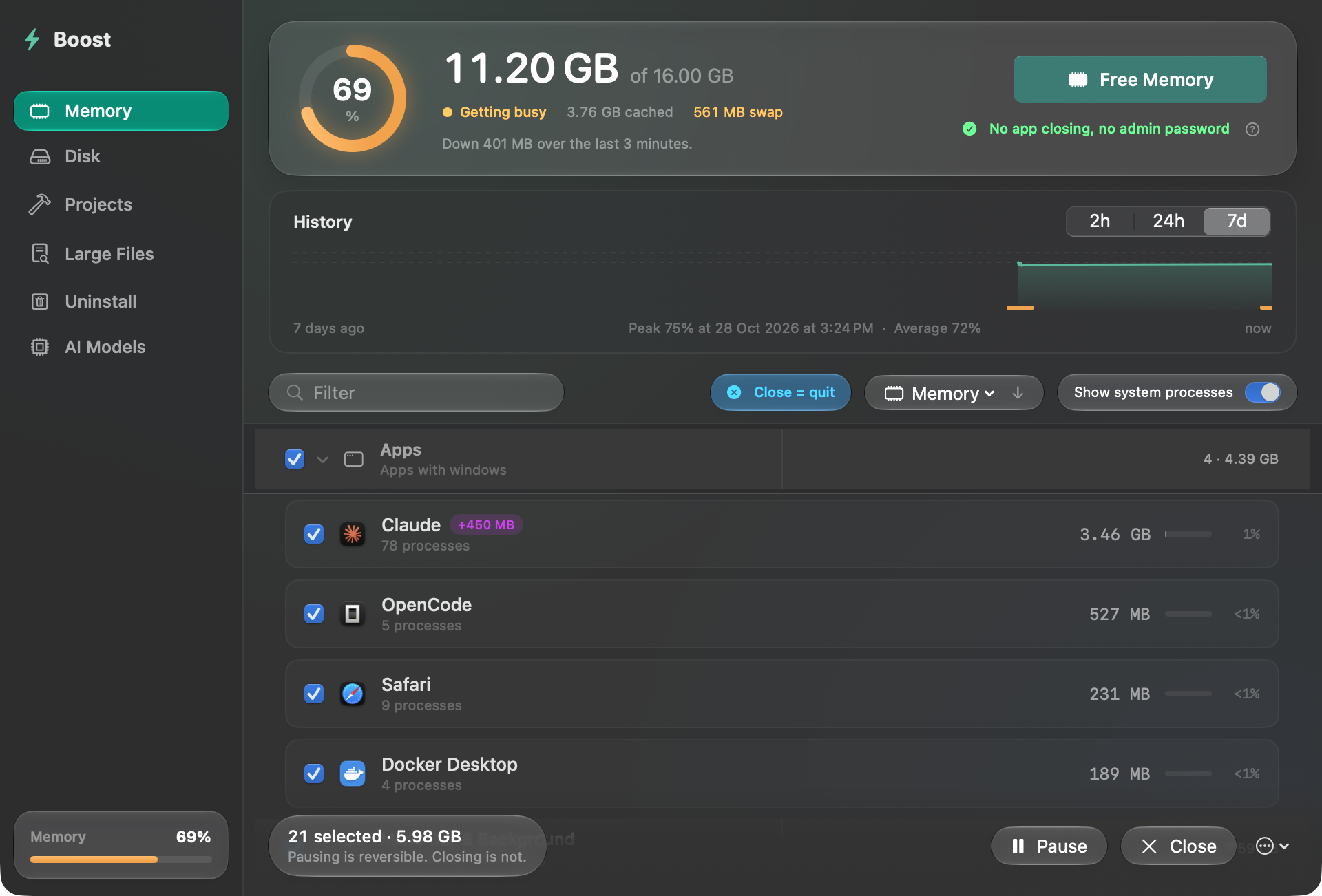
Boost's Memory tab: a pressure gauge, a history chart, and running apps grouped with their helper processes.
Every app and its helpers, grouped into one row with a real total. Screenshot of the real app
  • 1Pressure, not a percentage you have to interpret.
  • 2Cached memory, counted as available because it is.
  • 3One app, every helper. The number is real.
  • 4One action. It watches swap and stops early.
03Pause

Pause is not quit.

Quitting throws away where you were. Pause freezes the app and every helper: no CPU, no state lost, and macOS is free to move its pages to disk. Switch back and it resumes exactly where it was.

Mechanism
SIGSTOP, not a kill. The app and its helpers freeze as one.
While paused
0.0% CPU. State stays in memory; the pages become eligible to swap.
Watchdog
If Boost crashes or is killed, everything it froze is resumed. Nothing stays stuck.
Automatic
Optional: pause apps after 5 to 60 minutes in the background. Wakes the moment you switch to them.
Figma · Untitled
Figma4 windows · 1.2 GB · 6.4% CPU

Pause freezes the app and its helpers. Resume puts everything back where it was.

04Disk

Clean only what can prove it's disposable.

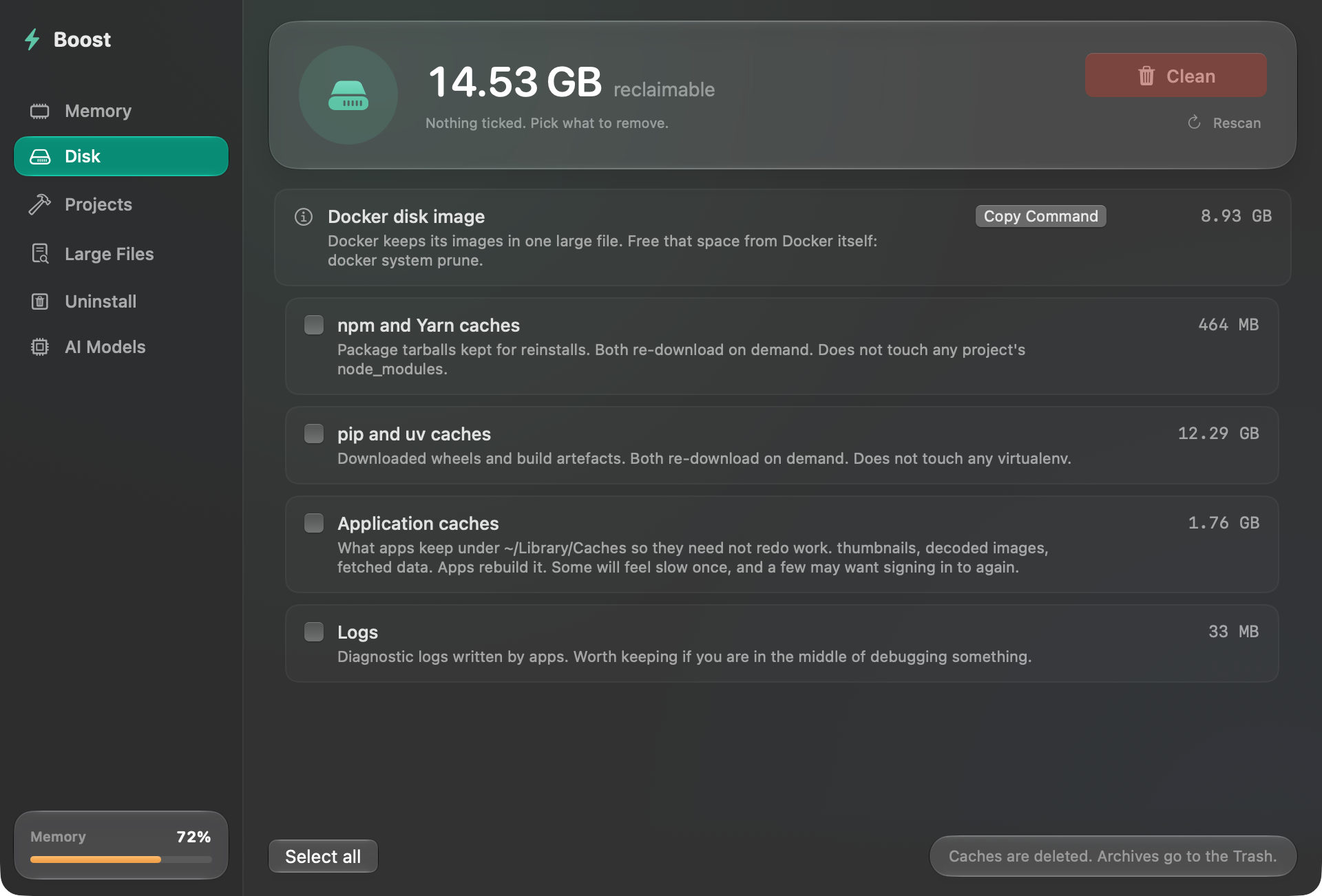
Boost scans a short allowlist. A folder is listed only when the manifest next to it proves what it is, and nothing is ticked for you. Removing files should be a decision, not a default.

Scan result Nothing pre-ticked
0 B selected of 11.49 GB
Selection demo only. This page deletes nothing. Caches are deleted · everything else goes to the Trash

Never scanned

If it can't be proven safe, it isn't listed.

  • Downloads
  • Any node_modules
  • iOS device backups
  • Music, Photos, Safari caches
  • Xcode Archives, unless you tick them yourself
  • Anything behind a privacy prompt

If proving it is safe would need a permission prompt, Boost skips it instead of asking.

The second check

Two gates before anything is deleted.

First, the path must be on the allowlist. Then Boost resolves the real path and checks it again immediately before removal.

A symlink sitting in a cache and pointing at your Documents is how tools like this destroy data. There is a test that builds exactly that trap.

Caches are deleted, and the tab says so. Projects, Large Files, AI Models, Uninstall and Xcode Archives move to the Trash. Allowlist + resolved-path check · symlink trap test in the suite · Docker's disk image is shown, never deleted
05History

A week of evidence.

One reading a minute, kept for seven days. Peak, average, and how often your Mac went into swap, so “was it slow at 3pm yesterday” has an answer instead of a guess.

Reading every minute

Peak92%
Average62%
Swap events4

Recorded on your Mac and nowhere else. Alerts ignore spikes that pass on their own.

Memory pressure · 7 days Recorded locally
Memory pressure over the last 7 days Pressure peaks at 92 percent on Tuesday evening, averages 62 percent, and triggers four swap events.
Tue 18:00 · 92%

Swap > 1 / 2 / 4 GB

You pick the line.

It tells you when swap crosses the threshold you chose, not every time the number moves.

One full minute

Pressure has to last.

A spike that passes on its own is ignored. A minute of tight memory gets a notification naming the app using the most.

Pause, never close

The alert can't quit anything.

It can pause apps you ticked. It cannot close them. There is a test for that, because it matters.

06Everything else

The rest of the utility.

Projects, large files, local AI models, uninstall, and a report you can paste into a bug thread. All of it follows the same rule: show the evidence before offering the action.

01

Projects

Finds node_modules, Rust target, SwiftPM .build, Python virtualenvs and CocoaPods in projects you haven't touched for 30 to 180 days. A folder is listed only when the manifest next to it proves what it is. Everything goes to the Trash.

Trash
02

Large Files

The biggest single files in Downloads, Desktop, Documents, Movies, Music and Pictures, with how long since you opened each. Scans only when you press Scan. Files only, never folders, app bundles or photo libraries.

Trash
03

AI Models

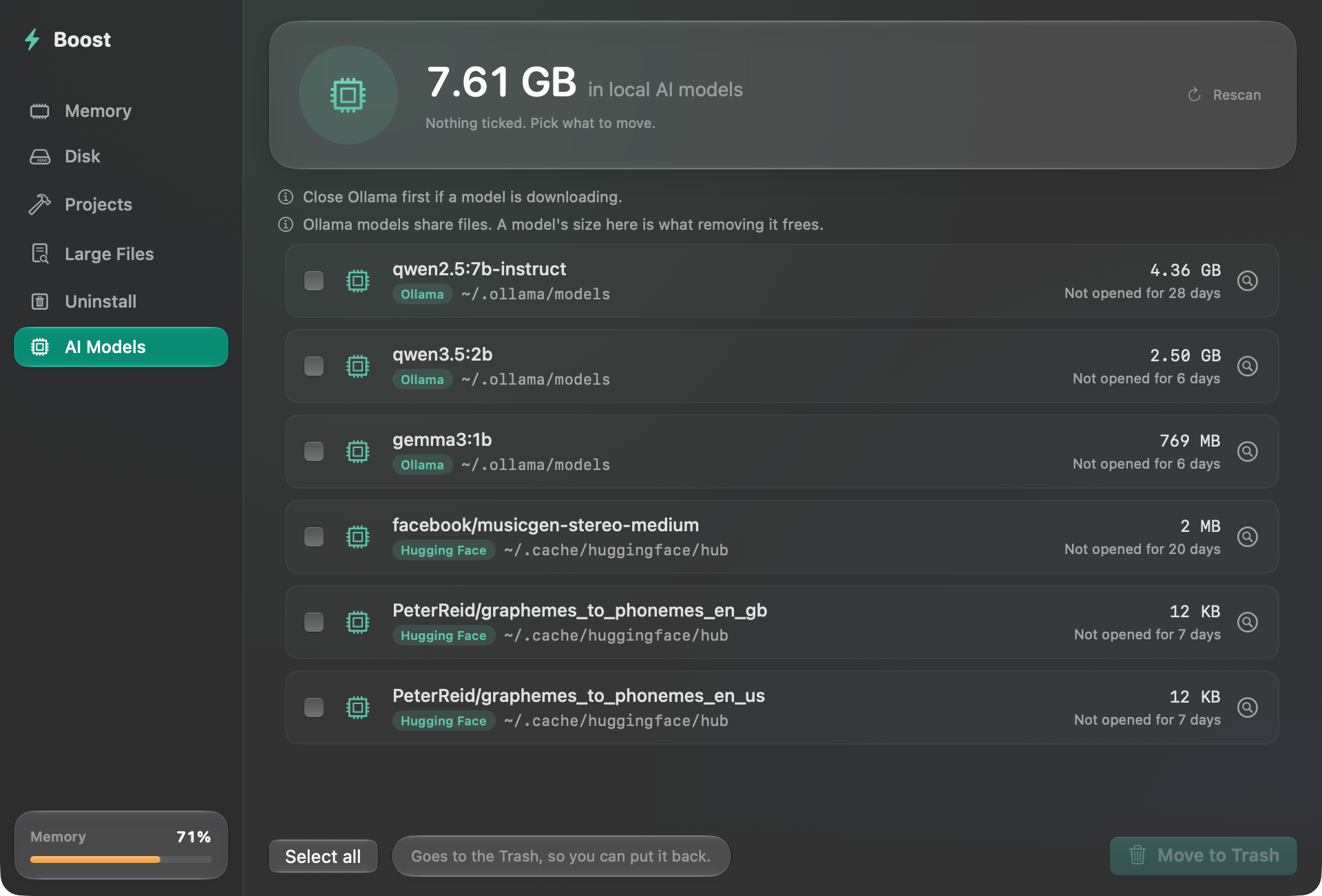
The models Ollama, Hugging Face and LM Studio downloaded, with sizes and when each was last used. Ollama models share files, so each size is what removing that one frees. Each model is checked again just before it moves, and nothing moves while an Ollama download is running. Reads names, sizes and dates only.

Trash
04

Uninstall

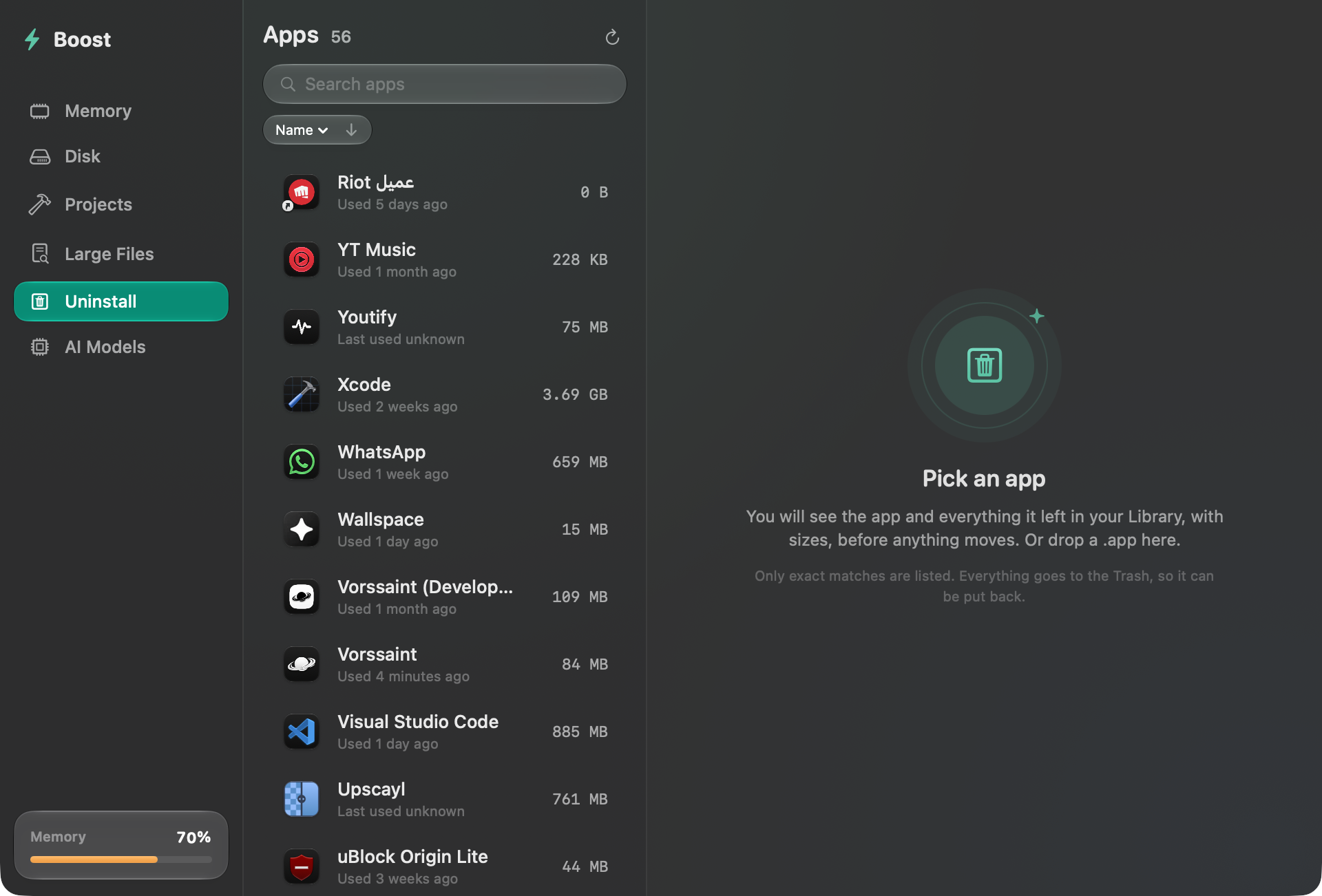
Pick an app or drop one onto the window. Leftovers appear with sizes before anything moves. Only exact matches. Everything goes to the Trash, and there is an Undo.

Undo
05

Copy Report

A plain-text summary for a bug report: your Mac, pressure, swap, the biggest apps and the last day's peak. App names and sizes only. No file paths. No username. Nothing sent anywhere.

Local
06

The small things

Start at login. Dock badge. ⌥⌘B. Sort by memory or CPU. Reveal in Finder. Light and dark, and Liquid Glass on macOS 26. The shortcut is off by default, because claiming a system shortcut is not something an app should help itself to.

Native
07

boost.sh

The same job without a window: close, pause, resume, dry-run. Pins are written to a file the script and the app both read, so a hotkey and the menu bar agree.

CLI
boost.sh · zsh
$ ./boost.sh# close apps and helpers$ ./boost.sh --pause# freeze them instead$ ./boost.sh --resume# unfreeze everything, system-wide$ ./boost.sh --dry-run# show what it would touch, change nothing
07Install

Install it in one line.

Homebrew clears the quarantine flag for you. Building from source never sets one, and needs only the Command Line Tools, not Xcode.

On signing, plainly

Boost is signed with a local certificate, not notarized. Notarizing needs a paid Apple Developer account, which a free app does not have. The Homebrew cask clears the quarantine flag. A source build never sets one. Read the full note.

macOS 14+ · Apple Silicon + Intel · one universal binary · GPL-3.0

$ brew install --cask kernel-hunter/boost/boost

Permissions, in full.

No permission is required for the core app
WhatWhyWhen
NoneReading the process table and memory stats; signalling your own apps.Always
AccessibilityCounting an app's open windows for “close button quits the app”.Only if you enable it
NotificationsThe swap and pressure alerts.Only if you turn them on
Login itemStarting Boost at login.Only if you turn it on
Admin passwordThe optional /usr/sbin/purge disk cache.Only if you enable purge

08 · End of readout

Free. And the parts that matter always will be.

Safety, honest readings, and everything that already shipped free stay free. That rule is written into the source, not the marketing: Pro.swift.